
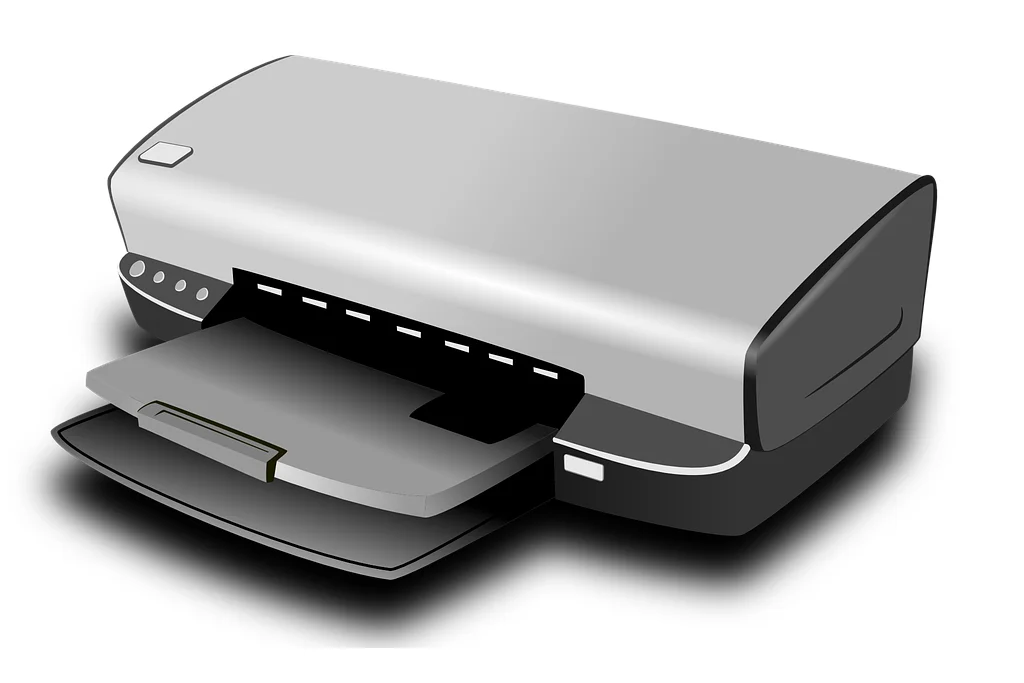
The aim of this tech tip is to provide you with the information you will need when the time comes to purchase a new printer. Whether you are printing photos or documents or whether you plan on printing hundreds of pages each month or just a few projects here and there, you need a printer that best suits your needs. But not all printers are created equal.
There are several types of printer technologies to choose from but the two basic types of printers I will focus on in this tech tip for the regular consumer are the laser printer and the inkjet printer.
Laser printers
Laser printers use technology similar to photocopiers. A rotating drum creates the image with static electricity that attracts the toner. This toner is then quickly baked into the page using hot fusers.
For black text on plain paper, laser printers are a good choice. They print faster than inkjet printers and they render small, fine text better. Although the initial cost of laser printers is a bit higher than comparable inkjet printers you will actually save money when it comes to toner replacements in the long run as they will print more pages per cartridge.
If you print tons of mostly monochrome text, then a monochrome laser printer is definitely the way to go.
Inkjet printers
Inkjet printers draw pages by forcing liquid ink through a number of microscopic nozzles, shooting ink dots at the paper to create the text or image. For all-around, multi-use colour printing, inkjet printers are the way to go since they could render photos better than laser printers.
Consumer inkjet printer units are cheaper than laser printers and they usually come with starter cartridges to get you printing right away. The downside is that replacement inkjet cartridges are more expensive than their laser toner counterparts with less yield (prints per cartridge) so their operation costs may add up more in time. Inkjet printers are also slower than laser printers.
For home multi-purpose printing, be it text, photos or labels, inkjet printers are the preferred choice.
Laser jet or Inkjet?
Let’s tackle this question in more depth. Ultimately it is as simple as a matter of what and how much you plan on printing.
Colour inkjet printers are the most common to be found in the home or in small offices simply because they can print just about anything. And today’s inkjet printers and all-in-ones have improved in the speed in which they print, often with print speeds that rival their laser counterparts.
Laser printers are still a good bet for an office environment where there is a higher volume of jobs and when the majority of the print jobs are monochrome. For the most part, monochrome laser printers can be purchased at affordable prices, offer good print speeds, and in most cases, provide prints at a lower cost per page than a colour inkjet. But it’s not a given, and you have to decide whether to give up the flexibility that a colour inkjet printer offers.
In the past, laser printers have offered a higher page yield per cartridge than an inkjet printer. That’s changing, however, with some newer inkjet printers offering as many as 10,000 printed pages from a monochrome ink cartridge and 7,000 pages or more from each colour cartridge. That translates into a lower cost per page, and less frequent cartridge changes.
For home use, a multi-function unit makes a lot of sense, not only because it’s cheaper than buying a printer and a standalone scanner, but also for the sake of saving room. Since all-in-ones are extremely common and manufacturers rarely charge much of a premium for them (you can often find one for as little as $50-$60).
Note: Soon, you may not have to decide whether to purchase a standalone printer or an all-in-one. While manufacturers continue to bring out new printer-only units for the office, many of the new devices being introduced for home users are all-in-one models, phasing out print-only models
Consumable Costs
Remember the mantra “give away the razor, sell the blades”? That century-old business model is still alive and well in the printer business, where many companies entice consumers with unimaginably low prices on their budget printers, knowing they can milk them over and over again when it comes time to replace the ink cartridges. Research the cost of replacement supplies before you buy any printer to know what you’re in for when the initial cartridges finally run dry. Depending on how often you plan to print, it can actually be worth it to purchase a more expensive printer in order to buy into a cheaper line of cartridges. Also, look into the possibility of refilling your own cartridges, which can cost dramatically less than buying new cartridges every time. Keep in mind, however, that printer vendors now add tiny chips to their cartridges that track ink or toner life to make refilling more difficult. Finally, investigate new models and ink plans. HP offers an Instant Ink program that automatically sends you cartridges when your ink runs low and promises a fixed number of pages for a fixed monthly fee. Both Canon and Epson now offer “ink tank” models which you can fill from small bottles of ink, providing a very economical cost per page, while Brother has a number of printers with multiple cartridges in the box so you needn’t run out to buy refills for quite some time.
Duplexing (two-sided printing or scanning)
One feature that’s becoming very popular among consumers, and that we consider a big plus, is automatic duplexing. Duplexing refers to printing or scanning both sides of the page without requiring that you manually flip the page over. Duplex printing is accomplished by printing the first side of the page, pulling the page back through the printer, flipping it over, and printing the other side.
Many all-in-one devices with an automatic document feeder (ADF) for the scanner also have duplexing, allowing you to scan both sides of the page as the document feeds through the ADF. An all-in-one without an automatic document feeder can’t duplex scan without you turning the page over on the scan glass. Duplex scanning is a major convenience if you frequently scan two-sided pages, like those torn from a magazine. And duplex printing is almost a must these days, helping you save paper when single-side printing isn’t necessary.
Networking capability
You will find that all new printers will all offer multiple connectivity options. USB has been the standard interface for years, and every computer has several USB ports. Because USB is generally a short, direct connection, it requires that the printer or all in one be located near the PC or laptop and will only allow 1 PC to be connected at a time. There are some wireless routers outfitted with USB ports, however, which you can use to connect to a printer and thus enable wireless printing on a home network.
Most modern printers can now be shared by multiple devices via a network. That could be via Ethernet, where you connect a cable to the router or switch in your network. Ethernet also makes for a faster connection. However, this wired setup is more common in an office environment than in the home, so few low-end models will have a built-in Ethernet port.
Both USB and Ethernet connections are great but the more common method of connectivity is Wi-Fi and is becoming the most popular method of home networking, Just about every new printer sold for the home or small business has Wi-Fi capabilities. Many even offer a one-button wireless setup — if the router it’s being connected to supports it — making network pairing a snap. A new option called Wi-Fi Direct also lets you connect your printer to a laptop that supports it, without having to connect the printer to a network first. Wi-Fi is also used to connect many new smartphones, tablets, and digital cameras by select printers that support mobile printing, such as Apple’s AirPrint protocol. NFC (Near-Field Communication) is also available on some models, letting you connect your printer to a smartphone or tablet by simply touching the device to a specified area on your printer.
Paper handling
Every printer will feed on a fat stack of 8.5 x 11 paper, but what about legal envelopes, index cards, and glossy stock? Thankfully, many printers now include dedicated feed trays for printing on speciality papers with unusual sizes or different weights, which can make them easier to deal with them. Also, consider the size of the input tray. Smaller trays, for instance, will require you to add paper all the time, while a 250-page hopper can make it a once-a-month affair.
Some models targeted at the home office user also offer an optional second tray, which lets you use a different paper stock, check stock, or just double the paper capacity so you don’t have to refill the paper supply as often.
The Best Printers of 2021 By PCMag.com
Closing
When you are next in the market for a new printer, use these tips as a basis for comparing one device with another. And before you plunk down your money, read reviews and independent evaluations, and if possible, see actual printouts at a retail store to decide for yourself how quick a printer is, or how good the image looks. Always consider the cost of consumables when comparing printers or all in ones that have the same specifications and do your calculations on cost per page. It might actually be more economical to purchase the more expensive option. If you have settled on a specific brand, some companies even have to buy guides for their models so refer to their website.

Nice blog! I am looking to buy a printer for my kids but have minimal knowledge on this topic. One of my colleague’s suggested me to go with
Fuji Xerox CM305df
This blog helps me to get familiar with printer technology now I can be more specific while buying it.